Solitaire: Classic Card Game
4.8 3.02K Reviews
Analysis By AppCompare
If you're anything like me, you've probably found yourself with a few minutes to spare and a burning need to fill that time with something fun and engaging. Enter Solitaire: Classic Card Game, the digital version of the beloved card game that’s been a staple on computers for decades. Whether you're a seasoned pro or new to the game, this app offers a delightful mix of nostalgia and modern convenience.
Getting Started with Solitaire
Jumping into Solitaire: Classic Card Game is as easy as pie. The app is available for both Android and iOS, and installation is a breeze. Once you open the app, you're greeted with a crisp, clean interface that immediately brings a sense of familiarity. The design is simple yet elegant, making it easy for anyone to navigate, whether you're on a smartphone or tablet.
User Interface and Design
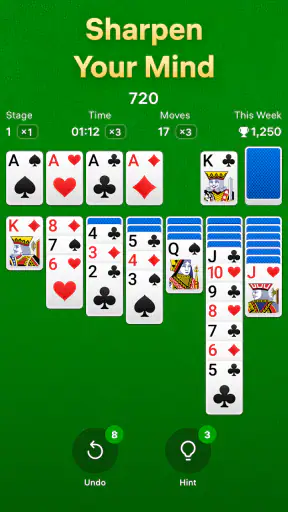
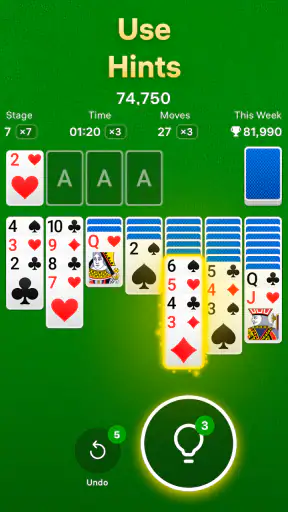
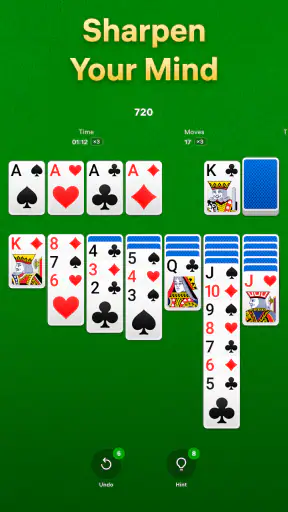
One thing I’ve always appreciated about Solitaire apps is their straightforward design, and this one is no exception. The developers have nailed the aesthetics with a classic green felt background, reminiscent of a real-life card table. The cards are clear and easy to read, with just enough detail to keep things interesting without overwhelming the eyes.
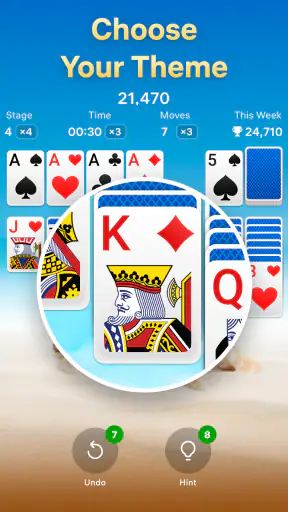
Customization options are a nice touch here. You can switch up the card backs and table themes to suit your mood. Feeling whimsical? Go for a quirky design. Want something more traditional? There’s plenty of options to choose from.
Gameplay and Features
The gameplay is exactly what you'd expect from a good Solitaire app. You have your standard Klondike Solitaire, which is the version most of us grew up with. The app offers different levels of difficulty, from one-card draw to three-card draw, catering to both beginners and seasoned players.
One of the features I found particularly handy is the hint option. Stuck and unsure of your next move? Just hit the hint button, and you’ll get a nudge in the right direction. There’s also an undo feature, which is a lifesaver for those moments when you accidentally drag the wrong card—or rethink your strategy.
Performance and Experience
Performance-wise, Solitaire: Classic Card Game runs smoothly. I’ve yet to encounter any lag or crashes, which is a big plus. The game loads quickly, and transitions between menus are seamless. It’s perfect for a quick game while waiting in line or during a coffee break.
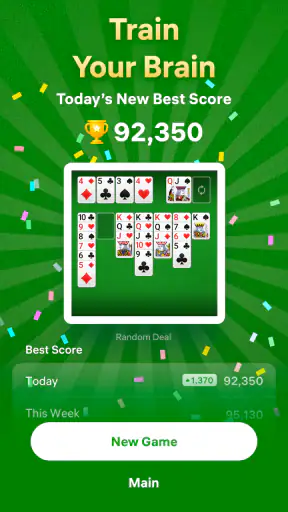
The app also tracks your statistics, which is a neat way to measure progress over time. You can keep tabs on your win ratio, games played, and best scores. It’s a subtle way of adding a competitive edge to an otherwise relaxing game.
Ads and In-App Purchases
No app review would be complete without mentioning ads and in-app purchases. While the app is free to download and play, it does include ads. Thankfully, they’re not too intrusive. You’ll see a banner ad at the bottom of the screen and occasional full-screen ads between games. If ads aren’t your thing, there’s an option to remove them with a one-time purchase, which also unlocks additional features and themes.
Conclusion: A Classic Done Right
In a world filled with fast-paced, flashy games, Solitaire: Classic Card Game is a breath of fresh air. It’s a reminder of simpler times, packaged neatly in a modern app. It manages to capture the essence of the classic game while offering a few extra bells and whistles for today’s mobile gamer. Whether you're looking to unwind or challenge yourself, this app ticks all the right boxes.
So, if you haven’t already, I’d suggest giving it a go. Download it, and let yourself be transported back to those early days of gaming, one card at a time.
FAQ
What features does Solitaire: Classic Card Game offer?
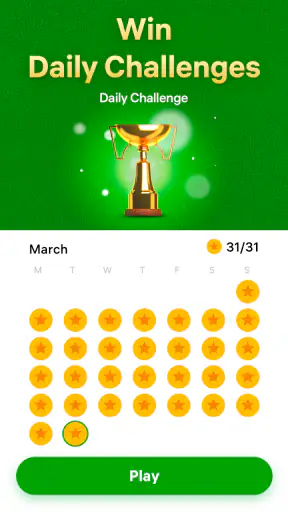
Solitaire: Classic Card Game provides a traditional card-playing experience with modern enhancements. It includes features like customizable card designs, daily challenges, and adjustable difficulty levels. You can also enjoy unlimited hints and undo options, ensuring a seamless gaming experience. The app is designed to be user-friendly, with intuitive controls and smooth animations.
Is Solitaire: Classic Card Game available offline?
Yes, Solitaire: Classic Card Game can be played offline. This makes it an excellent choice for users who want to enjoy a quick game without needing an internet connection. Whether you’re on a flight or in an area with limited connectivity, you can always access your favorite card game.
Are there any in-app purchases in Solitaire: Classic Card Game?
While the main game is free to download and play, Solitaire: Classic Card Game offers optional in-app purchases. These purchases can enhance your gaming experience, providing additional themes or removing ads. However, they are not necessary to enjoy the full functionality of the game.
How does Solitaire: Classic Card Game ensure user privacy and security?
Solitaire: Classic Card Game prioritizes user privacy by adhering to strict data protection policies. It collects minimal user data and implements robust security measures to safeguard any information. Users can review the app’s privacy policy for detailed information on data handling practices.
Can I customize the appearance of Solitaire: Classic Card Game?
Absolutely! Solitaire: Classic Card Game offers extensive customization options. Users can personalize their experience by choosing different card backs, backgrounds, and table colors. This feature allows players to tailor the visual aspects of the game to match their preferences, enhancing overall enjoyment.
Pros
- Intuitive controls for easy gameplay.
- Classic design evokes nostalgia.
- Offline mode available.
- Customizable card themes.
- Quick load times enhance play.
Cons
- Ads can interrupt the flow.
- Limited new features.
- No multiplayer option.
- In-app purchases for themes.
- Basic graphics may bore some.